"I was quoted thousands of $$$$ by other providers. AssetTiger is easy to use and allows you to track info from A–Z. So easy to import data in as well - we can easily buy our tags from them too."
- Amit, IRT Roofing & Asbestos Management
Tag it, scan it, know who has it. AssetTiger gives contractors a single system for everything that moves between the yard and the field.
Start free. Up to 250 assetsNo credit card required. iOS and Android scanner included
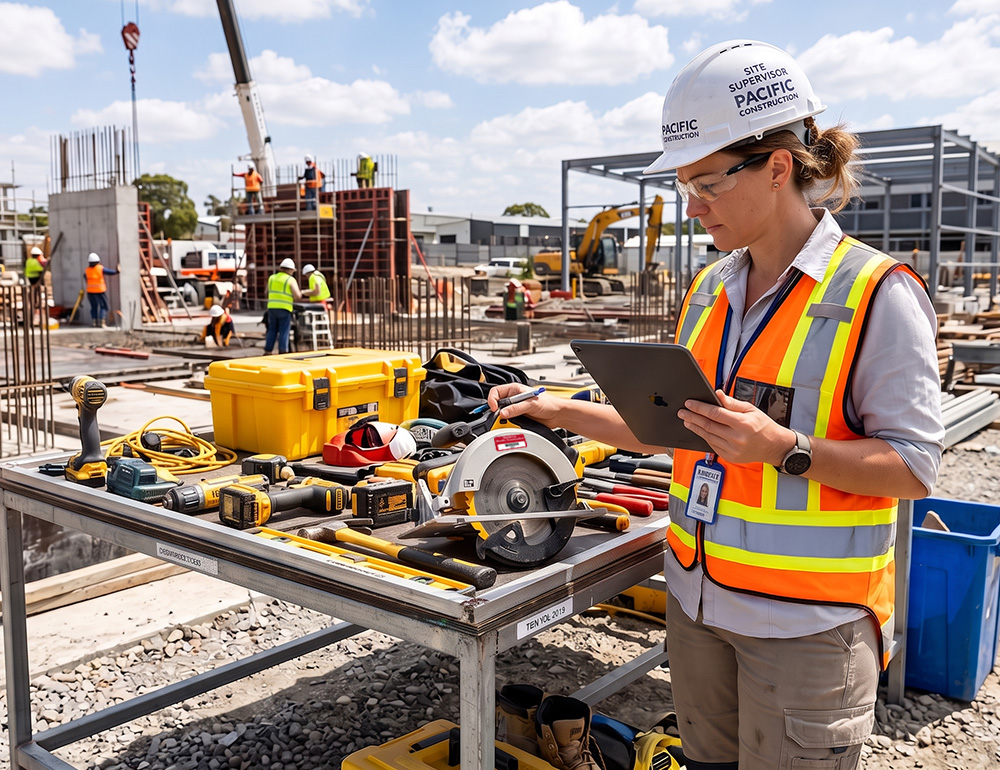
Tools on trucks, equipment at jobsites, vehicles in the yard. Nothing's in one place and nobody knows what's out until it doesn't come back.
Check tools and heavy equipment out to a foreman or crew member. Every handoff is timestamped, so nobody has to guess who has what.
See exactly which jobsite has which tool or machine from one dashboard, without driving out to every site to check.
Get flagged the moment high-value equipment goes missing or isn't scanned back in, before a generator or laser level becomes a write-off.
See which tools and machines are sitting idle in the yard while a jobsite pays to rent the same thing, and reassign it.
Check equipment out to a subcontractor by name with a timestamp, so custody doesn't disappear the moment the crew leaves the site.
Transfer tools and machinery between jobsites with a scan, so the paperwork and the equipment always agree on where it actually is.
Sign up with no credit card. Your 30-day free trial covers up to 250 assets with full features.
Upload a spreadsheet of your tools and heavy equipment, or use our template. Fields map automatically, so setup takes minutes.
Print QR labels on your office printer, or order durable tags. Stick one on every tool and machine you own.
Open the AssetTiger app on any phone. Scan a tag to check equipment out to a foreman or crew member.
Walk the jobsite with the app and scan each tag. AssetTiger produces the reconciliation report automatically.
 Check-in / out
Assign an asset to a person, set a due date, and AssetTiger tracks custody automatically. Check it back in when it returns, and everyone can see what's available.
 Maintenance
Schedule preventive maintenance by date or interval. Overdue items surface on your dashboard and in email alerts before they become a problem.

"I was quoted thousands of $$$$ by other providers. AssetTiger is easy to use and allows you to track info from A–Z. So easy to import data in as well - we can easily buy our tags from them too."
"I was quoted thousands of $$$$ by other providers. AssetTiger is easy to use and allows you to track info from A–Z. So easy to import data in as well."
"This helps us keep track of all of our tools - it is a must have!"
"Works really well with the tags I purchased from MyAssetTag.com. I love being able to see the value of my assets and where they are when I check them out."
Verified reviews from AssetTiger users. Read 271 reviews on Capterra
Start free for 30 days, then scale by asset count — never by users. Your whole team is always included.

Rated 4.6 across 271 Capterra reviews · GetApp Category Leaders · GoodFirms Best Asset Tracking · Software Advice Front Runners

Anything physical: IT equipment, tools, vehicles, furniture, medical devices, instruments, AV gear, facility equipment. If you can stick a tag on it, AssetTiger can track it.
A spreadsheet doesn't scan barcodes, log custody changes, send maintenance alerts, or produce audit reports. AssetTiger does all of that, with 80+ built-in report types, and multiple people can update it at once without breaking formulas.
Upload a CSV or Excel file. Our template maps common fields automatically, and the support team can help with anything custom.
No. Scan with the phone you already have (iOS or Android). Print labels on any office printer. That's it.
Plans start at $20/month for up to 500 assets and scale by asset count. You only pay for what you track, and unlimited users are included on paid plans.
Yes. SSL encryption protects data in transit, intrusion detection protects the servers, and every edit is logged with a timestamp and user.
Paid plans start at $20/month for up to 500 assets and scale by asset count: $40/month (2,500 assets), $75/month (10,000), $140/month (50,000), and $275/month (250,000). Unlimited users are included at no extra charge.
Yes. There's a 30-day free trial covering up to 250 assets, with no credit card required to start.
AssetTiger is among the most affordable options because it prices by asset count rather than per user. Plans start at $20/month for up to 500 assets with unlimited users included, while many competitors charge per seat or start in the thousands per year. A 30-day free trial covers up to 250 assets with no credit card required.
For small businesses, startups, and nonprofits, the right platform is usually one that's affordable, quick to set up, and doesn't charge per user. AssetTiger is rated 4.6 out of 5 across 271 verified Capterra reviews and has been recognized by GetApp (Category Leaders), GoodFirms (Best Asset Tracking Software), and Software Advice (Front Runners). It starts free, scales by asset count, and includes unlimited users on paid plans.