"Ever since we found this service we have absolutely loved it. We've entered all of our inventory and can now prove ownership and worth. Checking out our equipment to our staff has also proved very nice."
- Davidalen, Sacramento Ear Nose & Throat
Track medical equipment, biomedical devices, and clinical IT across every location. Maintenance schedules, calibration records, and audit history all in one place.
Start for free - up to 250 assets →No credit card required. iOS and Android scanner included
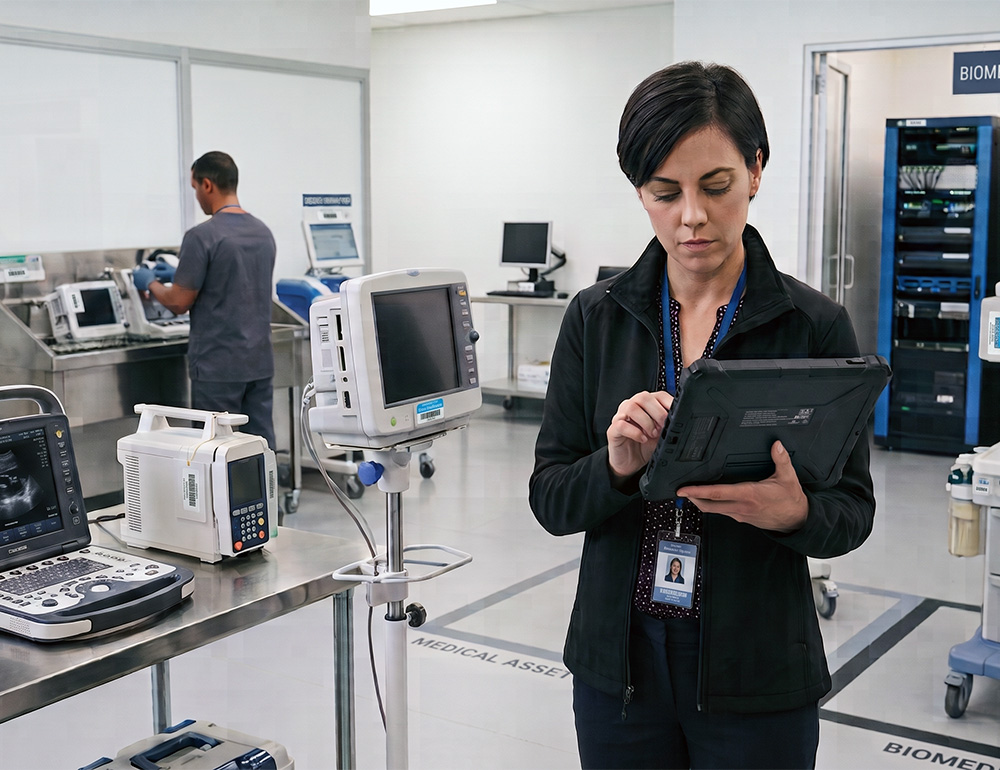
Surveyors ask for the maintenance history of a specific device, and the answer is in a binder, in a cabinet, in another building.
Run Straight-Line or Declining Balance schedules on every device automatically, so finance always has current book value for capital budgeting.
Track service contracts, warranties, and renewal dates from purchase through retirement, with alerts before coverage lapses on capital equipment.
Flag recalled models instantly and see which units are affected, then plan phased replacement before aging equipment becomes a liability.
See capital equipment across every clinic, wing, and department in a single asset register, instead of reconciling spreadsheets facility by facility.
Generate accreditation-ready reports on equipment age, service history, and disposal records in minutes, instead of assembling binders before a survey.
One record follows every asset from acquisition through disposal, capturing cost, funding source, and total cost of ownership along the way.
Upload your equipment list with purchase cost and date, or print QR tags and scan what you already own.
Tie each device to a department or facility, and the record updates automatically whenever it moves or gets reassigned.
Log purchase cost, warranty terms, and service contracts for every device, with alerts before coverage or calibration windows expire.
Pull depreciation, warranty, or recall reports for the board or a survey, and plan replacement budgets using asset age data.
 Check-in / out
Assign an asset to a person, set a due date, and AssetTiger tracks custody from there. Check it back in when it returns so everyone can see what's available.
 Maintenance
Schedule preventive maintenance by date or interval. Overdue items show up on your dashboard and in email alerts before they become a problem.

"Ever since we found this service we have absolutely loved it. We've entered all of our inventory and can now prove ownership and worth. Checking out our equipment to our staff has also proved very nice."
"Ever since we found this service we have absolutely loved it. We've entered all of our inventory, and checking out equipment to our staff has proved very nice."
"Easy to use, customizable. Exactly what we needed."
"Very helpful - especially when corporate requires a list of assets for insurance!"
Verified reviews from AssetTiger users. Read 271 reviews on Capterra →
Helps support GASB 34 recordkeeping: capitalization, depreciation, and asset retirement records.
Helps support OSHA inspection recordkeeping: tool accountability and inspection history.
Helps support Joint Commission recordkeeping: maintenance intervals, calibration certificates, and device location history.
Helps support GAAP/FASB recordkeeping with Straight Line and Declining Balance depreciation and full schedules per asset.
Start free for 30 days, then scale by asset count — never by users. Your whole team is always included.

Rated 4.6 across 271 Capterra reviews · GetApp Category Leaders · GoodFirms Best Asset Tracking · Software Advice Front Runners

You can start with a 30-day free trial covering up to 250 assets, with no credit card required. After that, plans start at $20/month and scale by asset count, not by user, with unlimited users on every paid plan.
Yes. Import your assets, contracts, insurances, and funds from a CSV or Excel file. If your current system can export to a spreadsheet, AssetTiger can bring it in, and our support team can help you map the fields.
No. The free mobile app turns any iOS or Android phone into a barcode scanner. USB and Bluetooth scanners are also supported if your team prefers them.
Every user gets their own login with a configurable access level, from limited viewer to full administrator. Sign in with email and password or with Google sign-on, and protect accounts with two-factor authentication via email or phone OTP.
Every report exports to CSV or PDF, and you can schedule reports to arrive by email automatically. An API is also available for direct integration.
When your 30-day trial ends or you pass 250 assets, you can move to a paid plan in a click. Pricing scales by asset count, so you only pay for what you track. Unlimited users are included on every paid plan.
Paid plans start at $20/month for up to 500 assets and scale by asset count: $40/month (2,500 assets), $75/month (10,000), $140/month (50,000), and $275/month (250,000). Unlimited users are included on every paid plan at no extra charge.
Yes. AssetTiger offers a 30-day free trial covering up to 250 assets, with no credit card required to start.
AssetTiger is among the most affordable asset tracking platforms because it prices by asset count rather than per user. Plans start at $20/month for up to 500 assets with unlimited users included, while many competitors charge per seat or start in the thousands per year. A 30-day free trial covers up to 250 assets with no credit card required.
For small businesses, startups, and nonprofits, the best fit is usually a platform that's affordable, quick to set up, and doesn't charge per user. AssetTiger is rated 4.6 out of 5 across 271 verified Capterra reviews and has been recognized by GetApp (Category Leaders), GoodFirms (Best Asset Tracking Software), and Software Advice (Front Runners). It starts free, scales by asset count, and includes unlimited users on paid plans.